
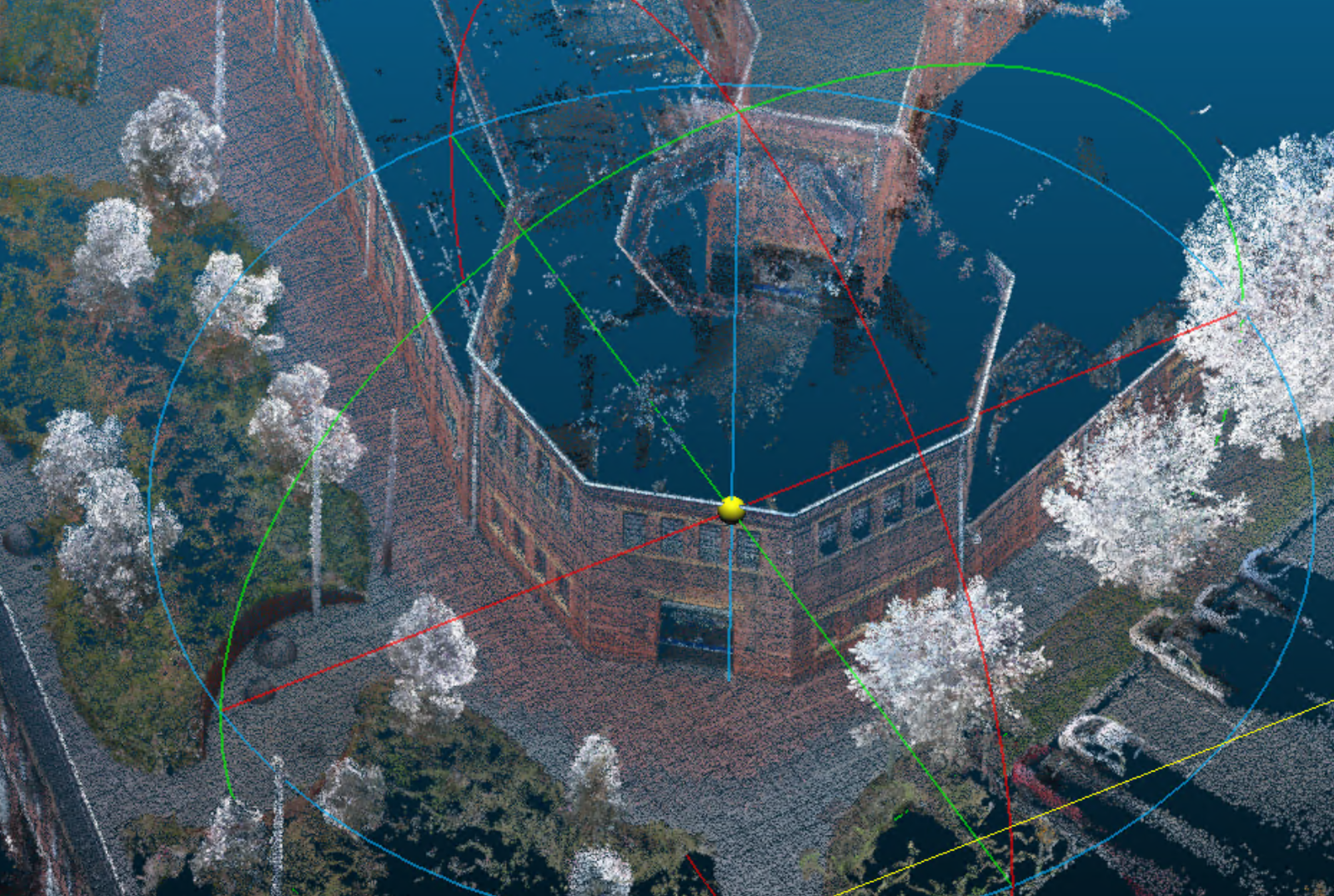
A drone is the right tool for roofs, open yards, corridors of dirt and anything you can legally fly. It is the wrong tool for the plant room, the stair, the loading dock under the awning, and the strip of garden the canopy hides from nadir photos.
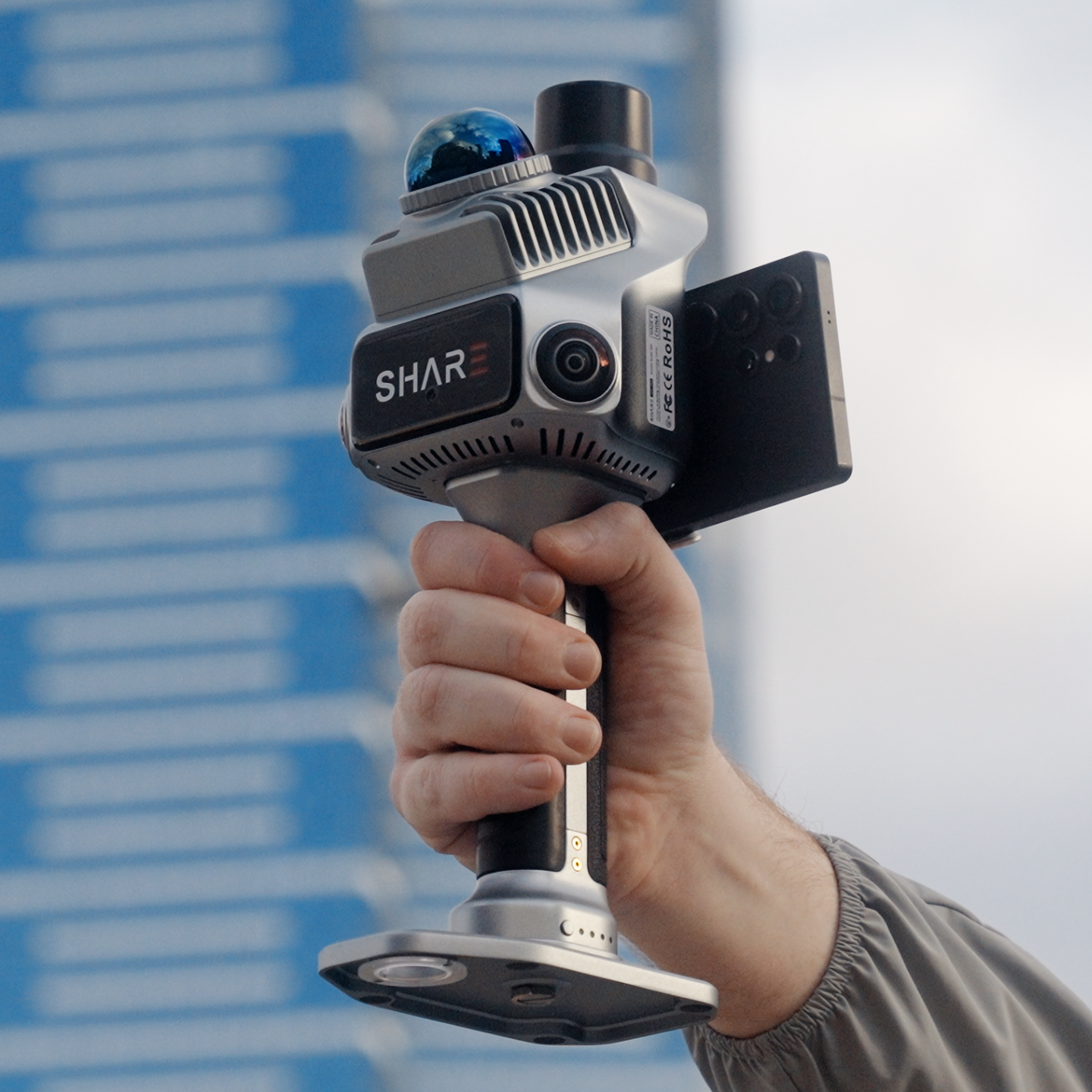
That is not a failure of the aircraft. It is a gap in the method. Close it on foot with a SHARE C1 Pro, on the same AUSCORS NTRIP corrections you already use in the air, and the two clouds can sit in one model.
Where the aerial survey stops
SHARE's topographic and landscape pages are blunt about the same limits we see in the field.
Oblique or nadir photogrammetry does not give you the ground under dense canopy. RTK on the aircraft does not help inside a steel shed. A total station still needs line of sight you often do not have in a live plant.
The jobs that keep needing a handheld walk:
- Plant rooms, risers, basements and car parks
- Under-cover stock, conveyors, loading docks
- Street trees, courtyards and garden beds the drone cannot see through
- Facades in tight streets where the aircraft cannot get the base of the wall
- Indoor-to-outdoor thresholds: foyer to car park, shed to bund, tunnel portal to decline
If most of the job is indoor, start with SHARE C1 and your existing control. If the walk has to join the drone block, C1 Pro is the unit we put on the quote.
Why C1 Pro is the handheld that matches a drone block
C1 Pro is the mixed-site unit: same walk-and-scan SLAM core as C1, with built-in RTK.
Setup is quick. Connect AUSCORS NTRIP. Get a fix outdoors. Walk. Indoor, fused LiDAR and visual SLAM carries the trajectory. Relative accuracy under 1 cm on a clean walk. Absolute under 5 cm with RTK. RTK positioning while fixed: 0.8 cm + 1 ppm horizontal, 1.5 cm + 1 ppm vertical.
That is the registration argument. Handheld and aerial both sit on real-world coordinates. Interiors from the scanner, roofs from the drone, one site in CAD or BIM.
C1 still belongs in the van when the day's work never leaves GPS-denied space and you already trust your GCP method.
Live prices: C1 from $6,199, C1 Pro $7,999 AUD incl GST. In stock, available to buy now.
A working method, not two disconnected surveys
Air first or ground first, pick one grid. Same AUSCORS mount point. Same project coordinate system in SHARE Point Cloud Studio and in your photogrammetry or airborne LiDAR package.
Walk the drone's blind spots on purpose. Do not "do a bit of handheld if we have time". List plant, under canopy and interiors on the flight brief so the scanner operator is not improvising at 4 pm.
Check the join. Overlay a kerb, a tank, a roof edge. If the handheld drifted through a long feature-poor corridor, fix the traverse before you argue with the aerial.
Deliver one package. The client does not want a drone ZIP and a scanner ZIP and a story about how they almost line up. Solve, crop and publish.
This is what MapShare is for. Assemble the SHARE project, include the splat if Studio produced one, send an unlisted browser link. This apartment as-built is a public interior example. Twelve months of MapShare Studio is included with every C1 and C1 Pro we sell.
Ground check is not a few handheld GNSS points
People hear "ground check" and think a rover on five painted marks. That still has a place. It is not what this post is selling.
A SHARE walk captures the geometry the drone never saw: soffits, pipe racks, tree stems, the inside face of a parapet. That is a second dataset, not a checkpoint file. Use check shots as well if the spec asks for them. Do not skip the walk and call five RTK points a complete interior.
Same scanner family, walked in public space. Useful as a feel for pace and coverage, not as a substitute for your own site demo.
When the aircraft stays on the trailer
Confined interiors with no outdoor tie: C1, no aircraft.
Heritage rooms you cannot fly: C1 or C1 Pro on foot.
Tiny courtyard where a C1 Pro walk is faster than a flight approval: walk it.
Large open pit or farmland with no buildings: drone, and only add handheld if a plant, tunnel or under-cover stockpile appears in the brief.
We deploy both stacks. The quote names the gap, then names the scanner.
Book a demo if you already fly and you are not sure the handheld will join. We attend with a C1 Pro and scan a sample of the drone's dead zone. C1 Pro · C1 · Contact
Read next: as-built interiors · how SLAM works · landscape architecture capture
FAQ
Will C1 Pro data register with DJI photogrammetry or LiDAR?
When both sit on AUSCORS NTRIP (or an agreed project grid) and the handheld traverse is clean, yes, they are the same coordinate conversation. Always overlay a known edge before you call it done.
Can I use C1 with a drone block?
Yes, if you tie the indoor cloud with GCPs or a C1 RTK module and you accept the extra control step. C1 Pro is the shorter path for mixed sites.
Does MapShare replace my CAD deliverable?
No. MapShare is the client-facing project. CAD and BIM still come from the exported cloud and your drafting stack.